Mac app
MiniLetras
Your song’s lyrics, in sync, in a floating bar.
Requires macOS 15 or later · Version 1.0.0
How it works
What is MiniLetras
MiniLetras lives in a small bar that floats above your windows. It shows the song playing in Spotify or Apple Music and its synced lyrics, line by line, so you can sing along without opening another app or searching the web.
Features
Synced lyrics
Each line appears right as it’s sung, with karaoke-style highlighting.
Spotify and Apple Music
Detects which player is on and lets you pause or skip from the bar.
Lyrics-only mode
Hide the controls and keep just the lyrics, taking up as little space as possible.
Six magnetic positions
Drag it and it snaps to a corner or the center of the screen.
Light and dark
Follows your Mac’s appearance, or pick one.
Previous and next song
With Spotify you can see what’s coming up in the queue.
Screenshots
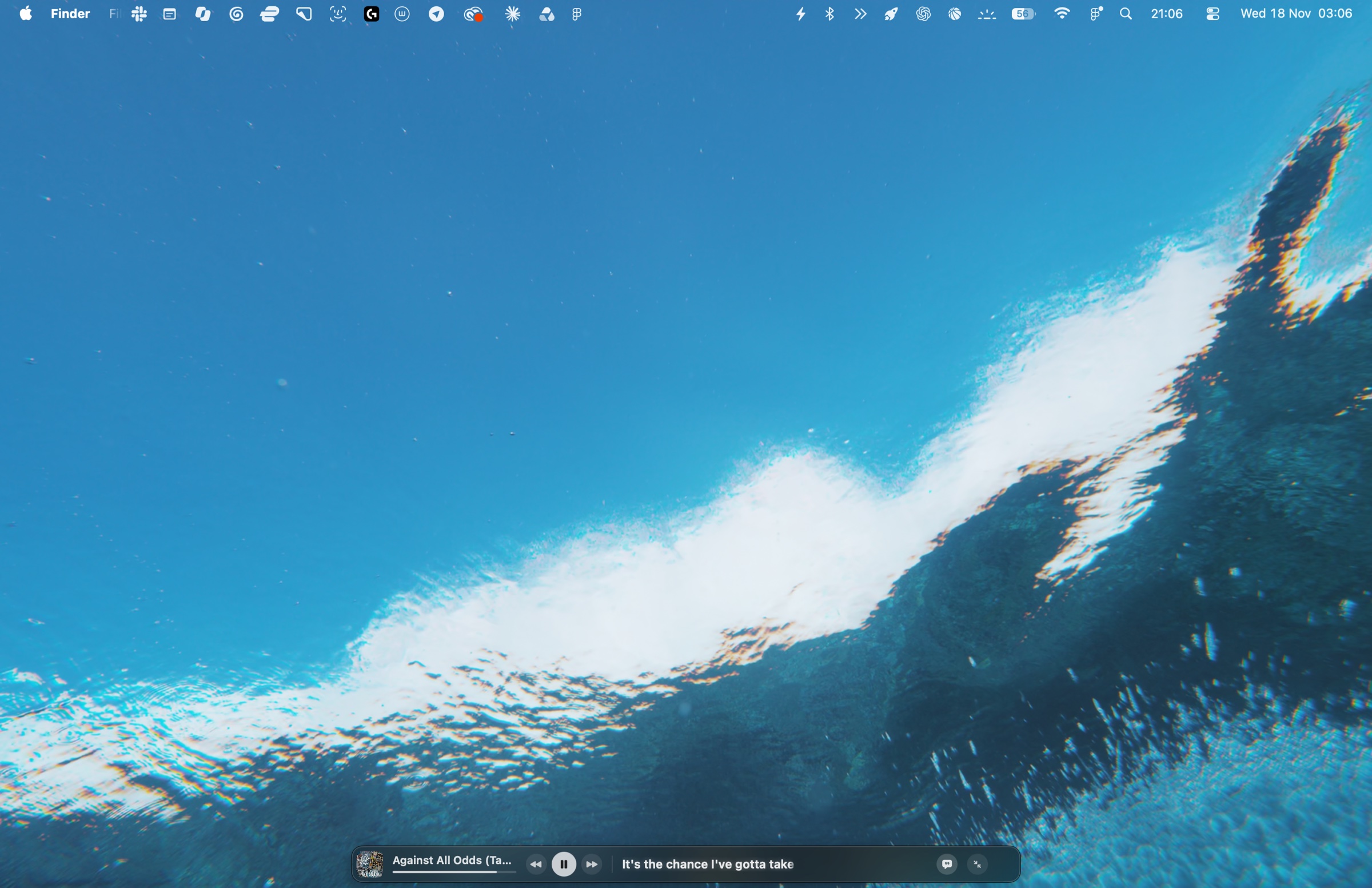
Mac desktop with the MiniLetras bar at the bottom in dark mode, showing the song and synced lyrics 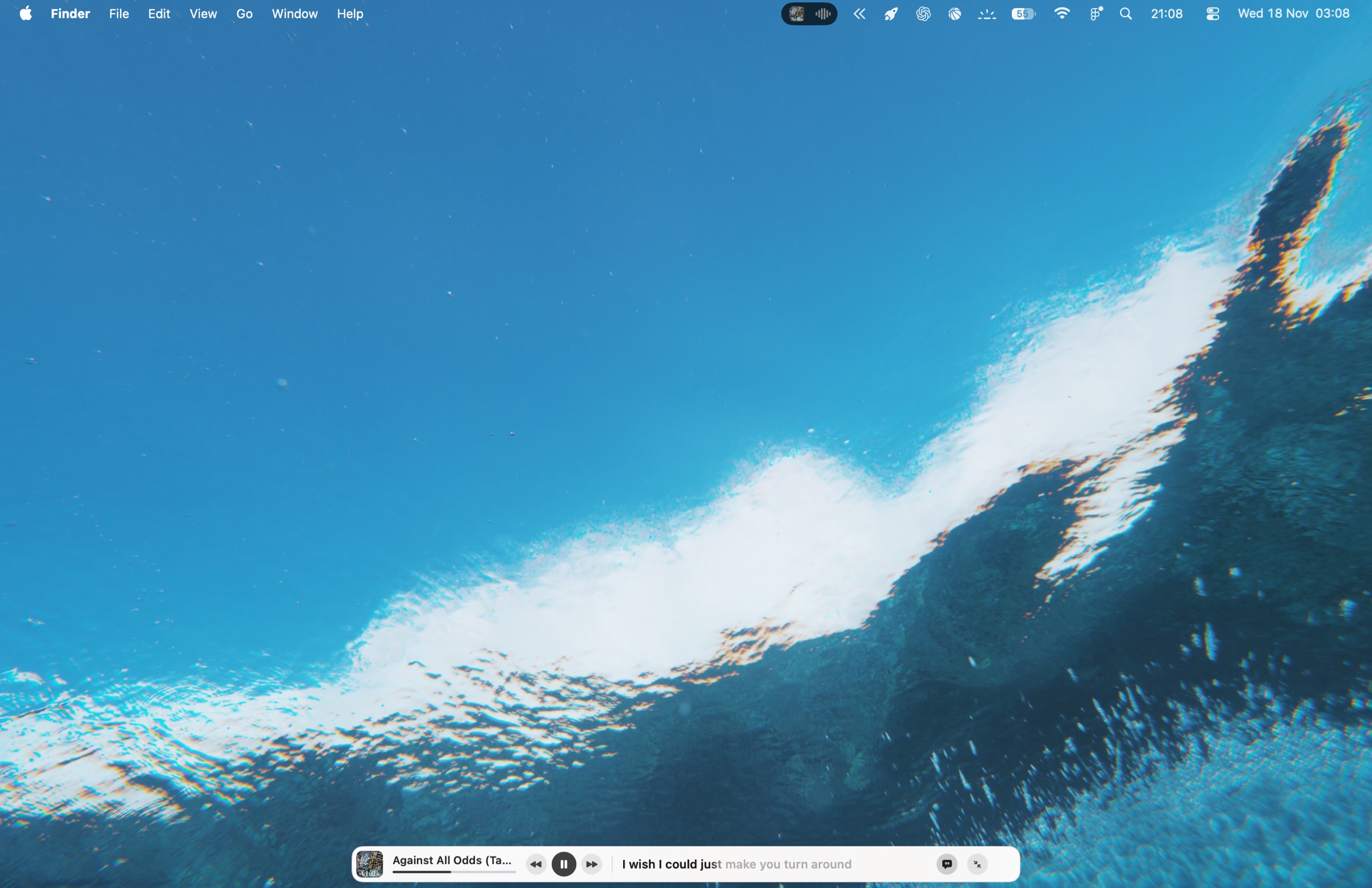
MiniLetras bar in light mode on the Mac desktop, with synced lyrics 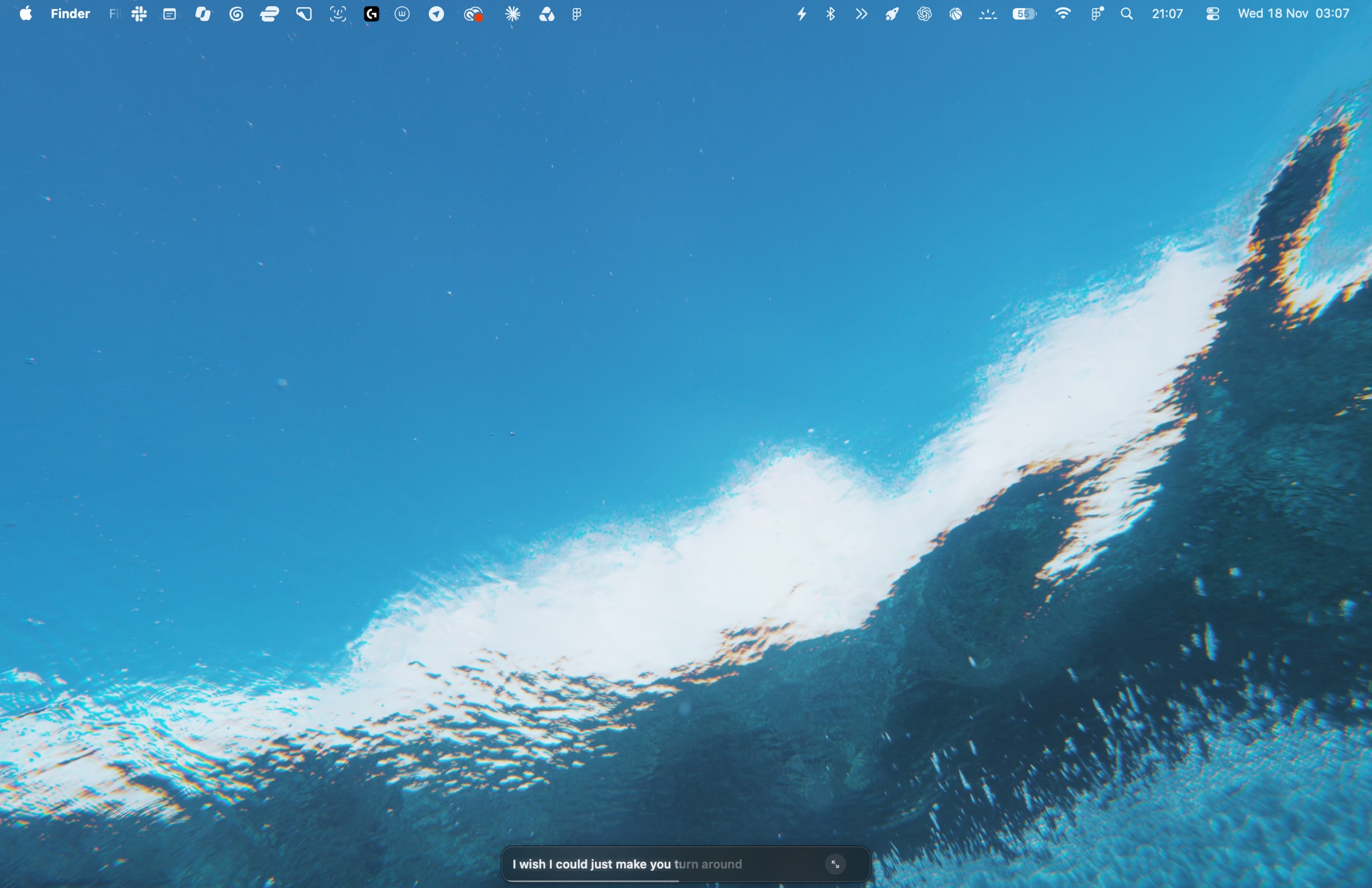
MiniLetras in lyrics-only mode: a minimal bar with the line being sung 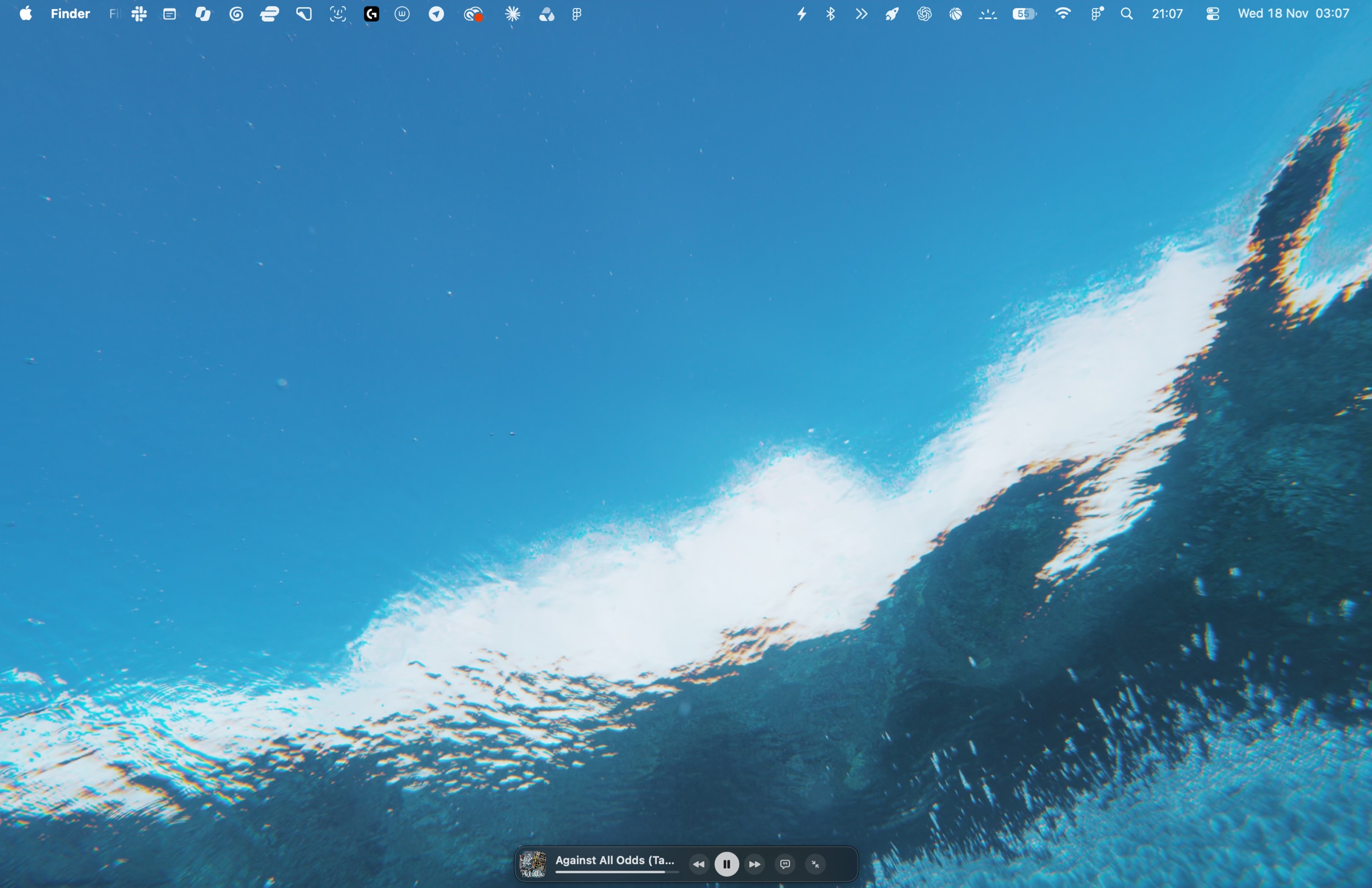
MiniLetras as a compact mini player, without lyrics 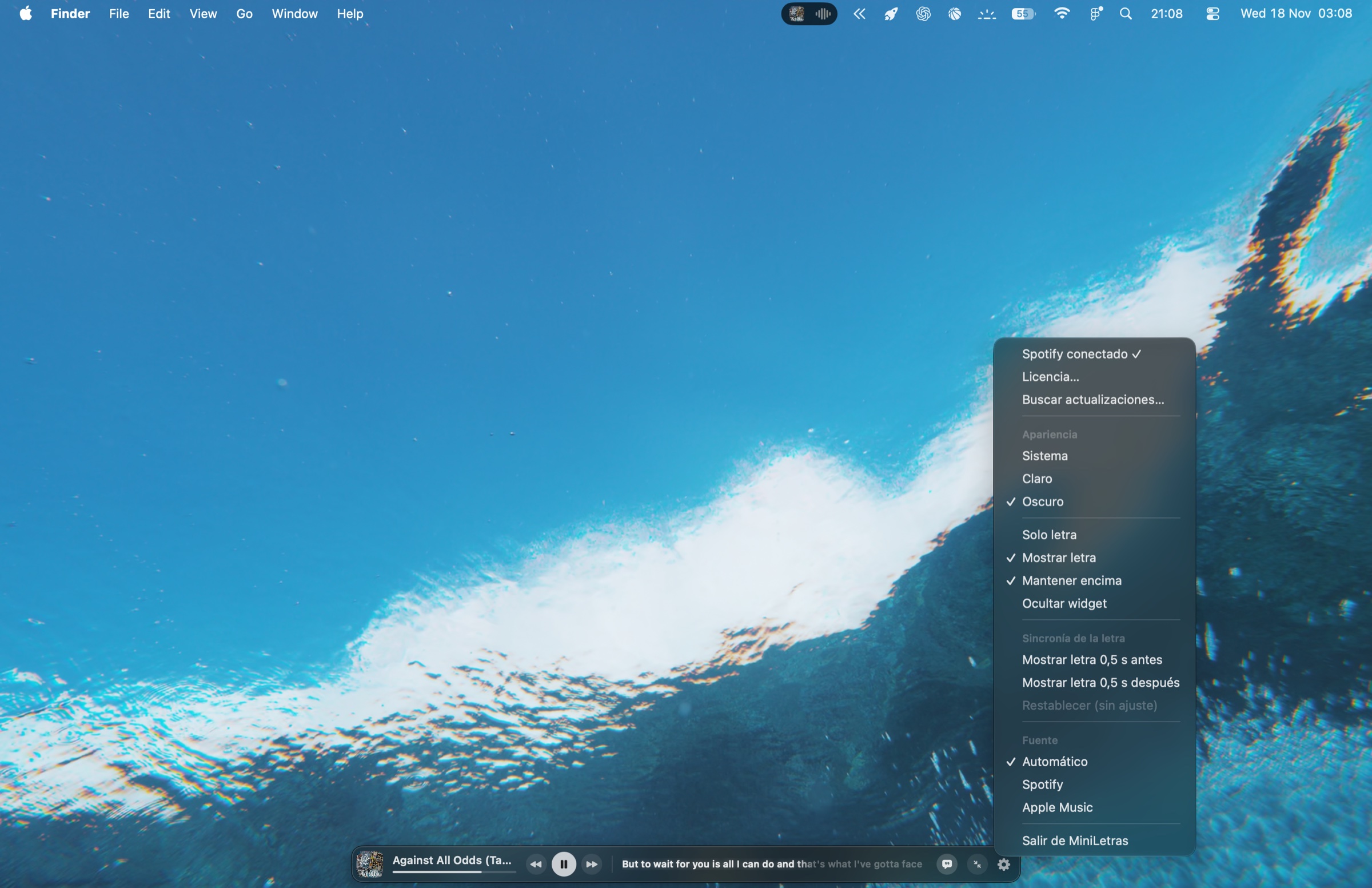
MiniLetras menu with appearance, bar modes, lyrics timing and music source
FAQ
Do I need a subscription?
No. MiniLetras is a one-time purchase of €2.99 and includes updates.
How many Macs can I use it on?
Your license activates on up to 3 Macs.
What do I need?
macOS 15 or later and Spotify or Apple Music installed on your Mac.
Get MiniLetras
Checkout happens on Polar. You get the download and your license key by email right away.